
AI Meeting Assistant
Focus on the Conversation, Not the Notepad.
TranscribeMeet is your AI meeting assistant that automatically transcribes, summarizes, and extracts key insights from every call, so you never miss a detail.
Set up in minutes · Cancel anytime
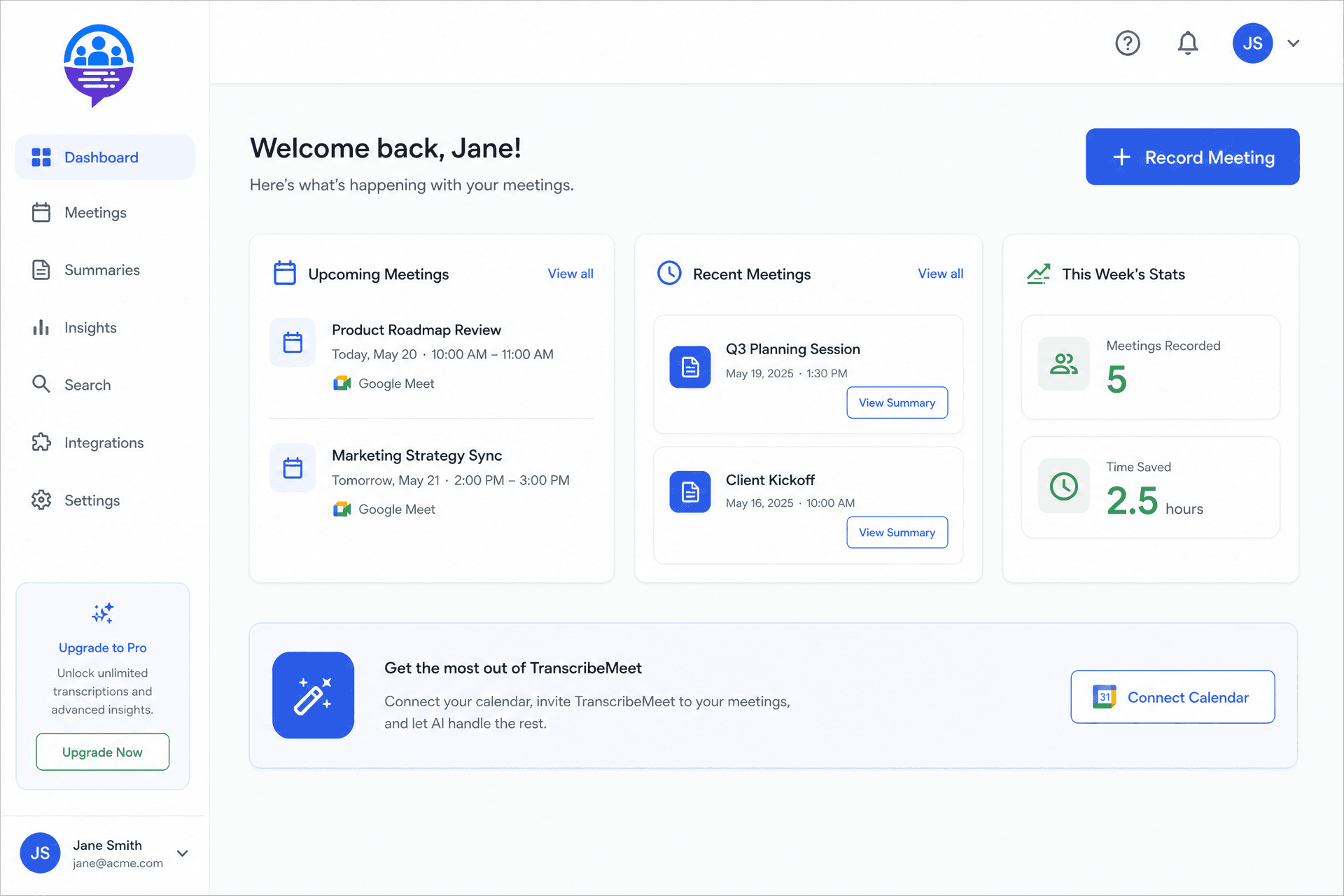
Built for teams who live in meetings
The meeting notes problem
Every team struggles with the same friction — capturing what matters without sacrificing presence.
You're double-booked
You're double-booked and miss critical details from meetings you can't attend.
Manual note-taking
Manually typing notes distracts you from actively participating in the conversation.
Lost action items
Action items get lost in long email threads or are forgotten completely after the call ends.
How it works
From calendar sync to actionable summaries in three simple steps.
Connect Your Calendar
Securely link your Google or Outlook calendar in seconds. TranscribeMeet will automatically identify your upcoming video calls.
Record & Transcribe
Our AI assistant joins your Zoom, Google Meet, or MS Teams calls to record and provide real-time, accurate transcription.
Get Instant Summaries
Within minutes of your meeting ending, receive a detailed summary, full transcript, and a list of actionable next steps in your dashboard.
Everything you need after every call
Automated Summaries
Get to the point, faster
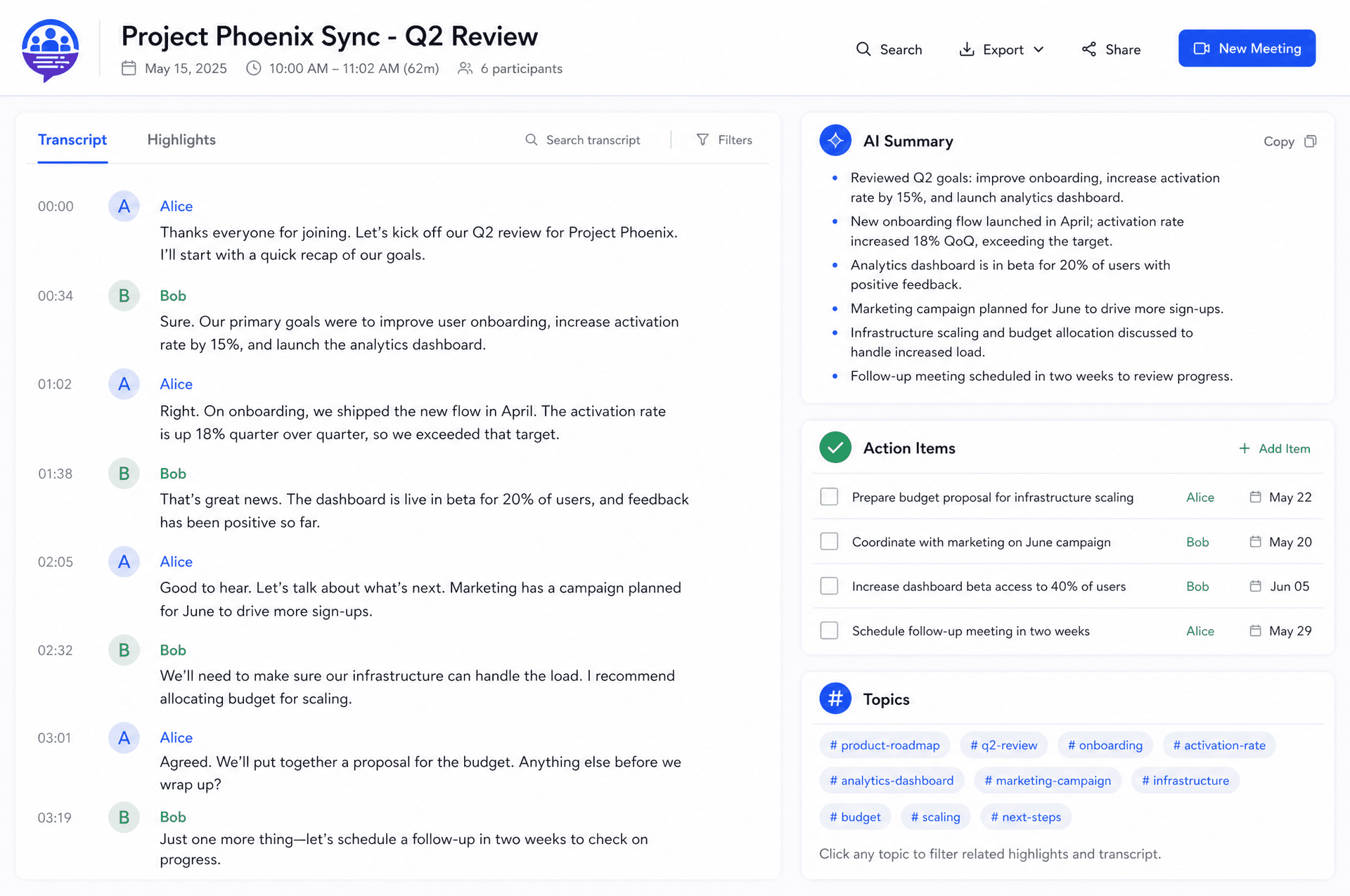
Our AI generates concise summaries that capture the core topics, decisions, and outcomes of your meeting. Never miss an action item again — tasks and assigned owners are intelligently identified and listed for easy tracking.
Meeting Analytics
Run better meetings
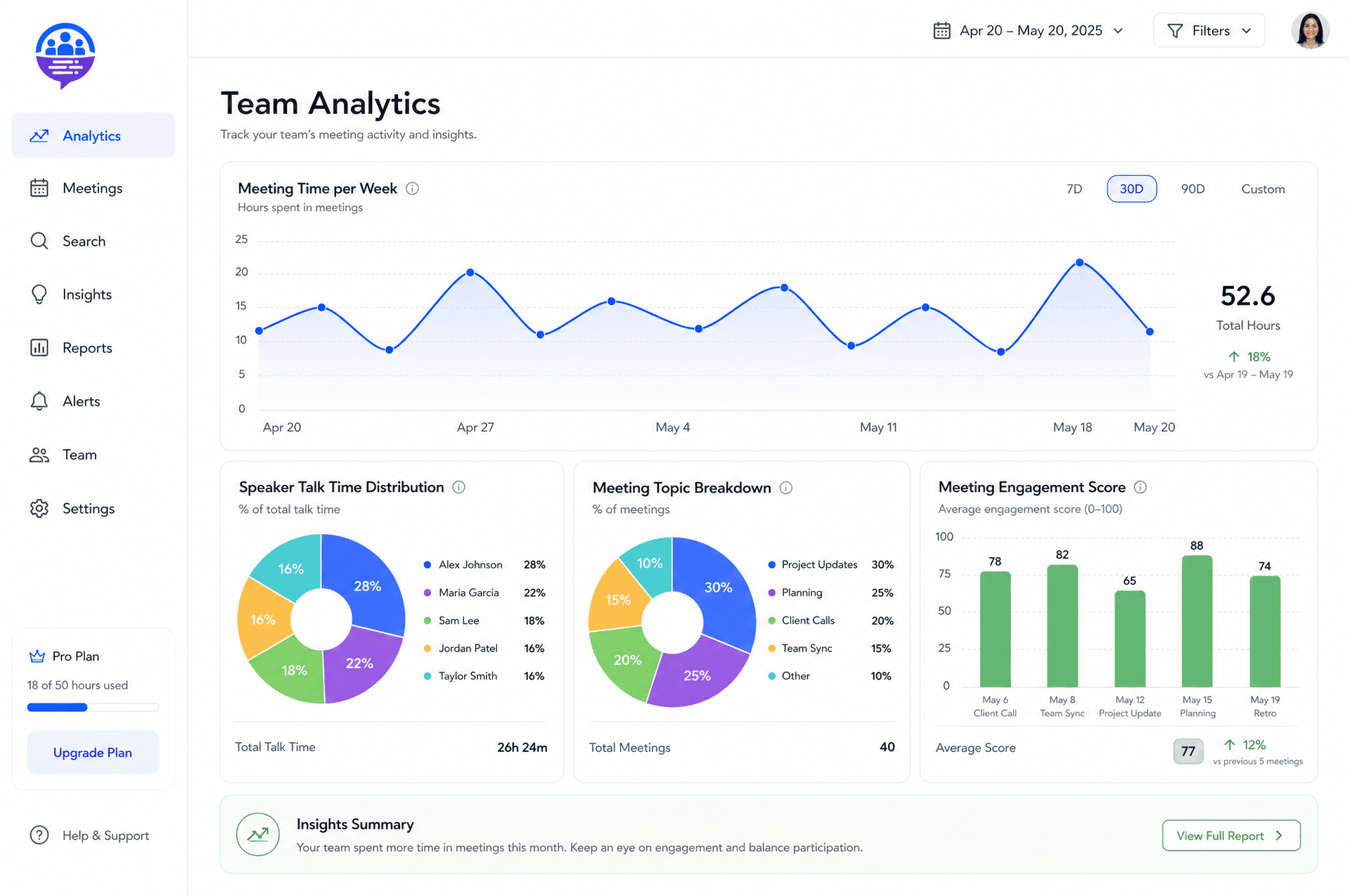
Understand your habits with insights into talk time distribution, topic frequency, and more. Follow the conversation with ease — transcripts are clearly labeled by speaker, making it simple to review who said what.
Built for how teams actually work
Action Item Detection
Never miss a 'next step' again. Our AI intelligently identifies and lists all tasks and assigned owners from the conversation for easy tracking.
Speaker Identification
Follow the conversation with ease. Transcripts are clearly labeled by speaker, making it simple to review who said what.
Powerful Search
Find what you need in an instant. Quickly search for key moments, topics, or decisions across all your past meetings.
Meeting Analytics
Run better meetings. Understand your habits with insights into talk time distribution, topic frequency, and more.
Centralized Hub
Access all your meeting notes, transcripts, and recordings in one organized, searchable workspace, available anytime.
Stop managing notes manually
Spreadsheets and scattered docs can't keep up. TranscribeMeet gives your team a smarter way to capture every meeting.
Simple, transparent pricing
Start free with 300 transcription minutes per month. Upgrade when your team needs more power.
Frequently asked questions
How does TranscribeMeet join my meetings?
Is my meeting data secure?
What integrations do you support?
Can I upload existing audio or video files?
How does billing work?
What happens if I cancel my subscription?
Ready to never miss a detail again?
Start capturing every meeting with clarity and confidence — free to get started.
Create your accountSet up in minutes · Cancel anytime